
FaxFree: Send Faxes from Phone
BP Mobile LLCBusiness
4.4955.00 Reviews
- Version
- 2.11.0
- Installs
- 500.00K
- Age Rating
- Everyone
Screenshots
Our Review of FaxFree: Send Faxes from Phone
 Analysis by Appyee
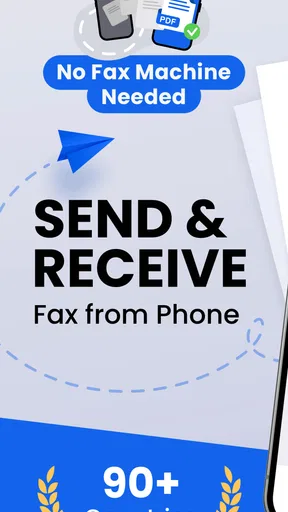
Ever found yourself in a bind needing to send a fax but nowhere near a physical fax machine? Trust me, I’ve been there. That’s where FaxFree: Send Faxes from Phone swoops in like a digital superhero. This app is all about making your life easier by allowing you to send faxes directly from your smartphone. Let’s dive into how it all works and whether it’s worth your time.
Getting Started with FaxFree
First things first, you’ll want to download the FaxFree: Send Faxes from Phone app from either the Apple App Store or Google Play Store. Once installed, the setup process is straightforward. You’ll need to create an account, which only takes a few minutes. The interface is clean and intuitive, so you won’t feel overwhelmed with options. It’s like the app just knows you want to get straight to business.
How Does It Work?
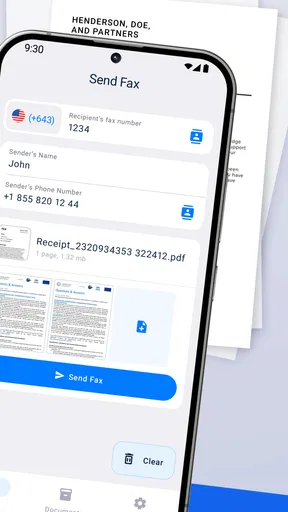
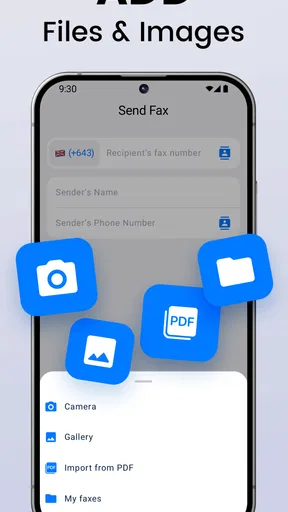
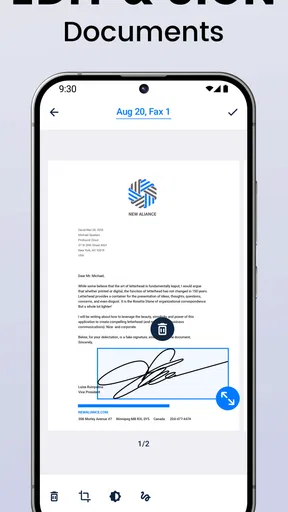
Once you’re all set up, sending a fax is a breeze. You simply snap a photo of the document you want to send or upload a file directly from your phone. The app supports various file types, including PDFs and images, which is super handy. After that, you just enter the recipient’s fax number, tap send, and voilà—your fax is on its way.
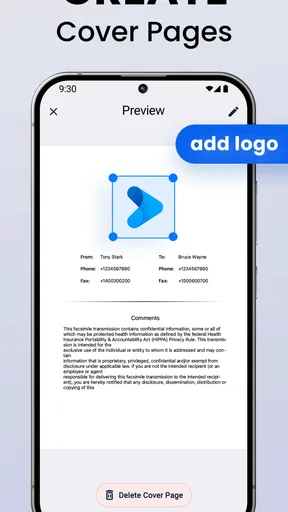
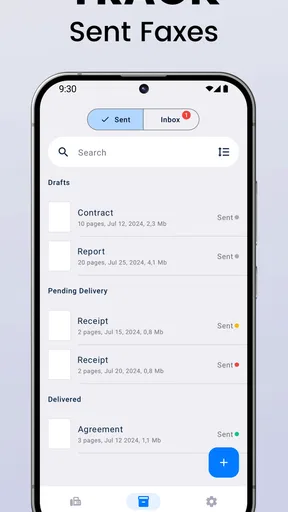
What’s really cool is that FaxFree also offers a preview feature. This means you can double-check that everything looks perfect before sending, which can save you from those awkward "oops" moments. The app also provides a history feature, allowing you to keep track of all your sent faxes. It’s like having a digital filing cabinet at your fingertips.
Why Choose FaxFree?
So, why should you choose FaxFree over other fax apps? For starters, it’s incredibly user-friendly, even for those who aren’t tech-savvy. The app’s design makes navigation a piece of cake, and it focuses on the essentials without any unnecessary fluff. You get exactly what you need without any complications.
Another standout feature is its affordability. Unlike traditional fax services that might charge you per page or require a bulky machine, FaxFree offers a variety of pricing plans to suit different needs. Whether you’re a one-time user or need regular access, there’s a plan that fits your budget. Plus, there’s often a free trial to get you started, which is always a plus in my book.
Security and Reliability
Let’s talk about security because no one wants sensitive documents floating around unprotected. FaxFree takes this seriously with encrypted transmissions, ensuring your data is safe from prying eyes. The reliability is also top-notch, so you don’t have to worry about faxes getting lost in the digital ether.
Additionally, the app provides confirmation notifications once your fax has been successfully sent. This is a nice touch, giving you peace of mind that your document has reached its destination.
Final Thoughts
All in all, FaxFree: Send Faxes from Phone delivers on its promise to make faxing as simple as tapping a few buttons on your phone. It’s convenient, easy to use, and reliable—perfect for anyone who needs to send faxes without the hassle of traditional methods. Whether you’re in a pinch or just prefer to keep things digital, FaxFree has your back.
So, if you ever find yourself needing to send a fax on the go, give FaxFree a try. It might just become your new favorite app for handling those last-minute business needs.
Verdict
Strengths of FaxFree: Send Faxes from Phone
- Easy-to-use interface for quick faxing.
- Supports multiple file formats for attachments.
- No need for a physical fax machine.
- Secure transmission of sensitive documents.
- Offers free trial with limited faxes.
Limitations of FaxFree: Send Faxes from Phone
- Requires subscription for unlimited use.
- Ads can be intrusive in the free version.
- Limited editing tools for documents.
- Occasional delays in fax delivery.
- Not available offline; needs internet.
Other Releases by BP Mobile LLC
View All
iScanner - PDF Scanner App
Productivity4.7

Second Phone Number - 2Number
Communication4.0
Similar Picks in This Category
View All
LinkedIn: Community & Network
LinkedIn3.8

Zoom Workplace
zoom.com4.1

Microsoft Teams
Microsoft Corporation4.6

Meta Business Suite
Meta Platforms, Inc.4.6

Webex Meetings
Cisco Systems, Inc.4.5

TeamViewer Remote Control
TeamViewer4.4
Frequently Asked Questions
How do I send a fax using FaxFree?
To send a fax using FaxFree, download and open the app on your smartphone. Tap on the ‘Send Fax’ option, upload the document you wish to fax from your device or cloud storage, enter the recipient’s fax number, and hit ‘Send.’ The app will confirm once your fax is successfully sent.
Is there a cost associated with using FaxFree?
FaxFree offers a free tier for sending faxes, but there may be limitations on the number or size of faxes you can send. For more extensive use, you might need to purchase credits or subscribe to a premium plan. Check the app’s pricing details for specific information on costs.
What file formats does FaxFree support?
FaxFree supports a wide range of file formats, including PDF, DOC, JPG, and PNG. This ensures flexibility in sending various types of documents. Simply select the file from your device or cloud storage, and the app will handle the rest, converting it to a fax-friendly format if necessary.
Can I receive faxes with FaxFree?
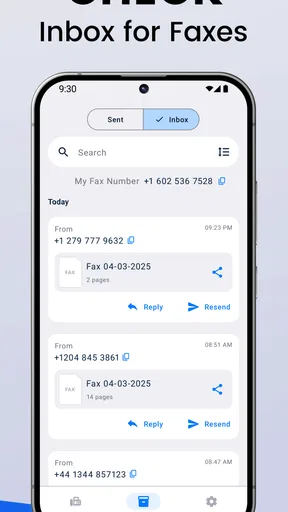
FaxFree primarily focuses on sending faxes. To receive faxes, you might need to explore additional features or subscribe to a premium service that includes a dedicated fax number. Review the app’s description and settings to understand all available options for receiving faxes.
Is FaxFree secure for sending sensitive documents?
FaxFree uses encryption to protect your documents during transmission, ensuring that your data remains private and secure. However, it’s always wise to verify the app’s privacy policy and user reviews for any additional insights into its security measures before sending highly sensitive information.
